 GTA VI Hub
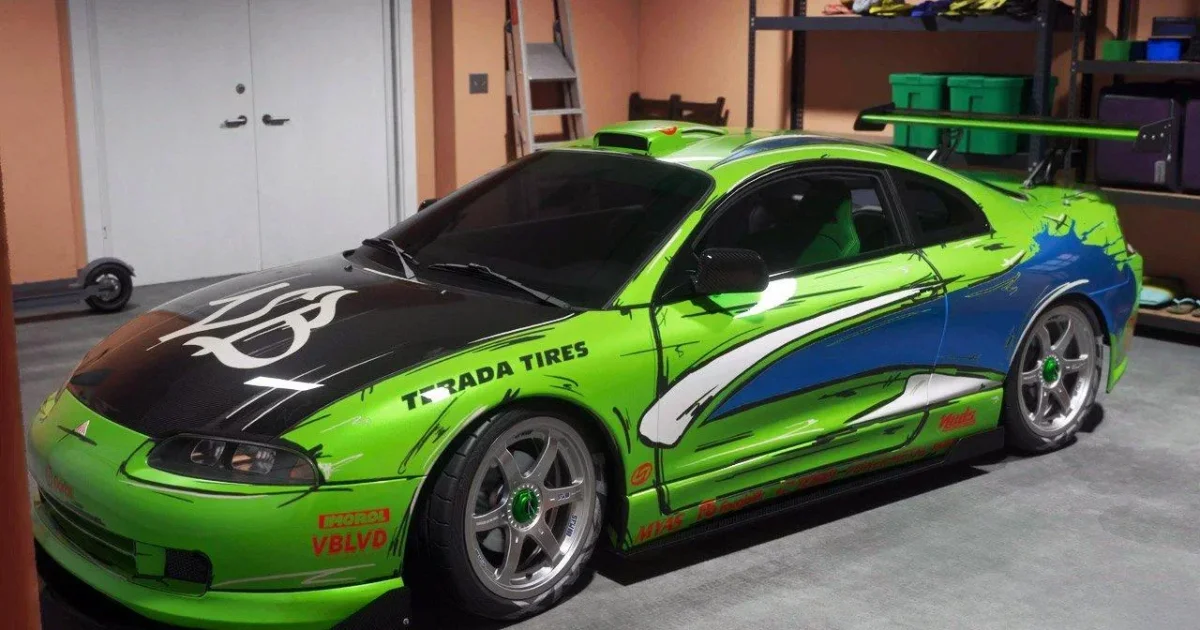
GTA 6 Paul Walker Car Location: Where to Find and Keep the ’97 Penumbra FF
Follow the bridge to Neptune Cir on Vespucci Island, find the green Maibatsu coupe and check how to keep it.
The green car that resembles Brian O’Conner’s Eclipse in The Fast and the Furious is the 【Maibatsu ’97 Penumbra FF】 in GTA 6 story mode. Look for it in a residential garage on 【Neptune Cir】, on the west side of 【Vespucci Island】 in the Rialto Islands. To keep it, take it to a shop and check the 【Register】 option after you drive it out.
Which bridge and garage should you look for?
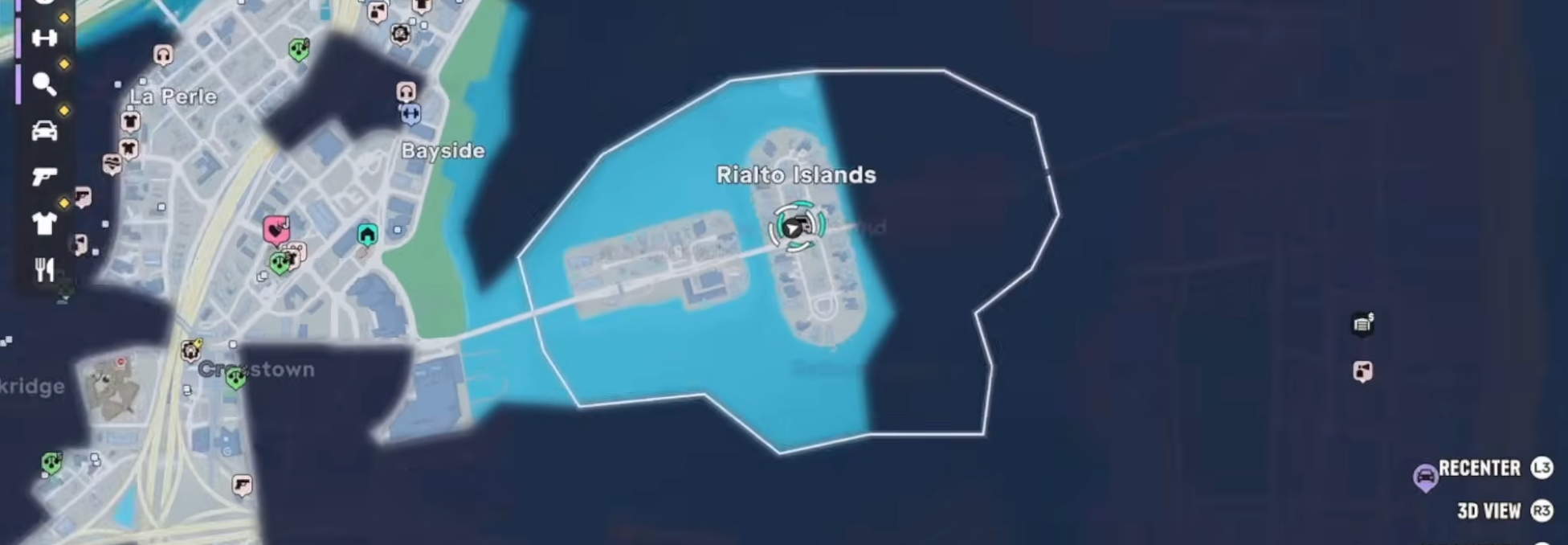
- Open the map and find 【Vice Beach】. Look west to the 【Rialto Islands】 between the beach and Vice City, then zoom in on the west side of 【Vespucci Island】.
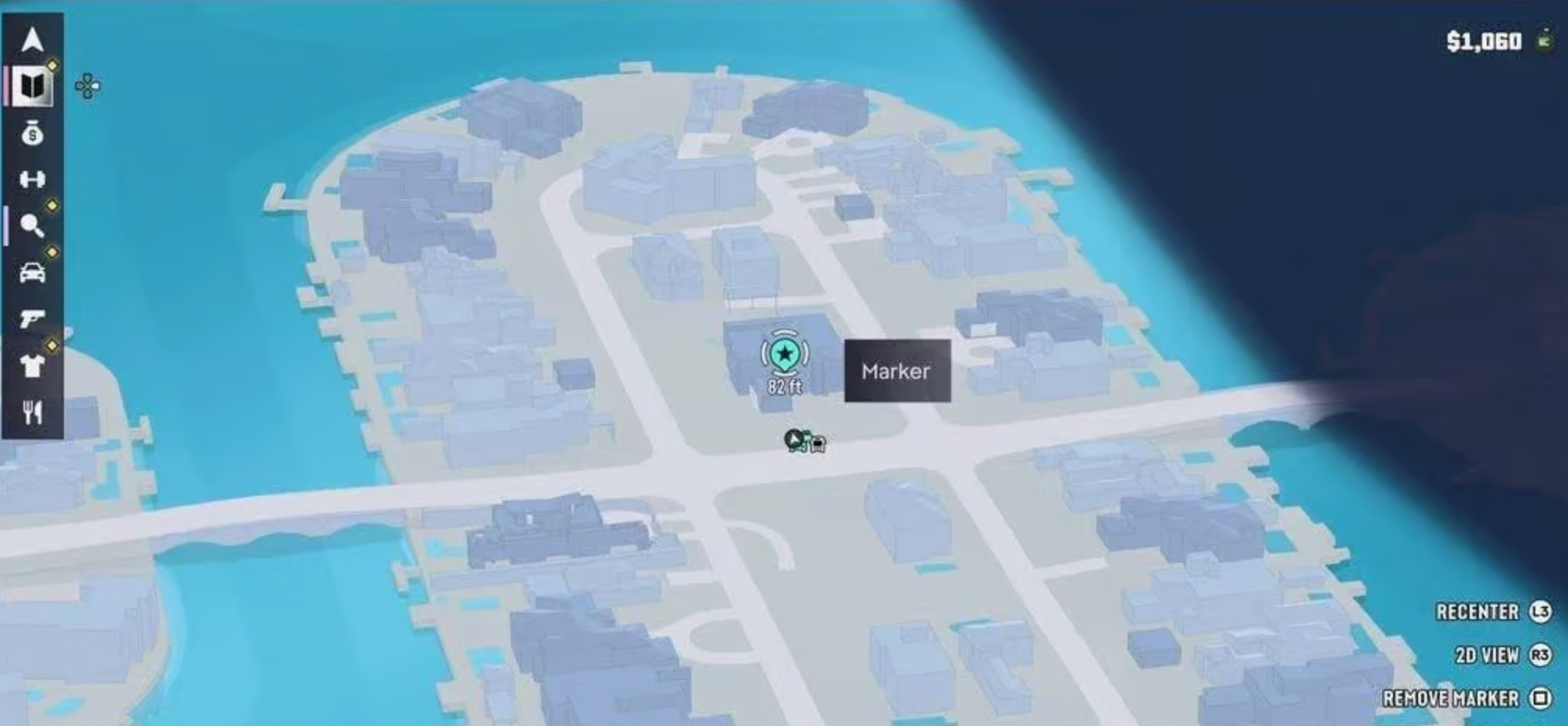
- Cross the bridge 【from Catalan Island to Vespucci Island】. Use the end of the bridge as your landmark and look just north for 【Neptune Cir】. Compare the last stretch with the route video to spot the garage’s side door.
- Inside, look for a bright green coupe with a large rear wing. Route videos approach from different directions, so use the street name and the end of the bridge to orient yourself.
Rialto Islands overview
3D map of the garage location
How to drive it out
- At the garage’s side door, choose 【Break Open】 if prompted. If the garage alarm starts, look for the control box on the wall to your left as you enter.
- Open the main garage door from inside, then go to the driver’s door. Use 【Break In】 or 【Smash Window】 if prompted. If Moses has given you the 【Slim Jim】 and the car offers that option, you can use it to open the door.
- Start the car using the on-screen prompts and drive out. Head to an auto shop if you intend to keep it.
A snake was also seen around the garage in one gameplay encounter. Watch the area around the car as you approach it.
Scan panel and displayed stats
The inspected car showed 【Unlocked】 access, 【Deactivated】 security and 【None】 for its tracker. Check the current car with 【WAiNK】 when you arrive, as the panel reflects its state at the time of the scan.
| Panel stat | Displayed value |
|---|---|
| Speed | 7.2 |
| Acceleration | 7.6 |
| Asphalt handling | 5.8 |
| Off-road handling | 1.0 |
| Strength | 3.0 |
| Rating | 90 |
These are in-game panel ratings. The low off-road handling score makes paved roads a better choice when leaving the garage. From the map menu, open 【Progress → Vehicles → Standout】 to check the collection. Use the shop’s 【Stored Vehicles】 menu to confirm ownership.
How to keep the Penumbra FF
- Look for Moses at 【Watkins Auto Parts】 in 【Port Gellhorn】. Chapter 2 brings up the 【Take A Vehicle to Moses】 objective. Progress the story if it has yet to appear.
- Choose 【Register】 in the service menu and check the displayed fee. Then look for the car in 【Stored Vehicles】 and make a separate manual save.
- If Register is locked, check your progress with Moses and read the shop’s prompt. See the fences and vehicle services guide for more on ownership.
Route video and registration footage
The first video follows the map and bridge approach to the garage. For the shop menu, start the second video at 46:04.
References · Route footage by GTA6 Motors, PS5 gameplay by GamersPrey, GamesRadar+ for gameplay cross-checks, and GAMES.GG for the vehicle panel ratings.